
We’ve all been there. Standing before a mountain of shiny new curriculum, feeling overwhelmed. It’s like being at an all-you-can-eat buffet with a toddler’s stomach. The panic is real, and it usually leads to one question: “What pages do we do today?”
But what if we flipped the script entirely?
Instead of starting with the daily grind, let’s begin with the finish line. What person are we actually trying to build by June? This isn’t about checking boxes. It’s about crafting a narrative arc for your child’s year.
Think of your ideal setup as writing the destination on the map before you plot the route. We define the academic and character goals first—the why behind the what. This is outcome-based planning in its purest form.
Then we sketch the panoramic view: your yearly scope and sequence. Are you raising a Renaissance scholar or a backyard engineer? The answer dictates every lesson that follows. This strategic layer transforms panic into purpose.
It’s about assembling a picture of the education you want, not just surviving the one you have. Your tools need to work the way you work. Set your year’s details—start dates, breaks, rhythms—and you’ve built your command center.
Key Takeaways
- Shift from daily task panic to long-term, outcome-based serenity.
- Begin by defining your yearly academic and character goals—the “why” behind the work.
- Create a panoramic yearly scope and sequence before planning daily lessons.
- Your approach should answer: “What person are we building by June?”
- Effective homeschool goals planning acts as a strategic command center.
- Choose tools that work with your natural rhythms, not against them.
- Setting clear start dates, breaks, and yearly structure provides essential framework.
FAQ
Q: What is a curriculum map?
A: A curriculum map is a detailed document that outlines the learning objectives and standards for a particular subject or course. It provides a clear roadmap for teachers to plan and deliver instruction, ensuring that students meet the desired learning outcomes.
Q: Why is a curriculum map important?
A: A curriculum map is important because it helps teachers align their instruction with the learning objectives and standards set by the curriculum. It ensures that students receive a cohesive and well-structured education, meeting the desired learning outcomes.
Q: How can a curriculum map be used for professional development?
A: A curriculum map can be used for professional development by providing teachers with a clear understanding of the learning objectives and standards for their subject or course. It helps teachers identify areas where they may need additional training or support, enabling them to enhance their instructional practices and improve student outcomes.
Q: How can a curriculum map be used for parent-teacher communication?
A: A curriculum map can be used for parent-teacher communication by providing parents with a clear understanding of the learning objectives and standards for their child’s subject or course. It helps parents support their child’s education by staying informed about the curriculum and providing additional resources or activities at home.
Q: How can a curriculum map be used for school improvement?
A: A curriculum map can be used for school improvement by providing a framework for evaluating and refining the curriculum. It helps identify areas where the curriculum may need adjustments or enhancements, enabling schools to continuously improve and meet the needs of all students.
Q: How can a curriculum map be used for accountability?
A: A curriculum map can be used for accountability by providing a clear and transparent overview of the curriculum and learning objectives. It helps schools demonstrate their commitment to providing a high-quality education and meeting the desired learning outcomes for all students.
Q: How can a curriculum map be used for curriculum development?
A: A curriculum map can be used for curriculum development by providing a framework for creating and revising curriculum materials. It helps educators design and implement a cohesive and well-structured curriculum that aligns with the learning objectives and standards.
Q: How can a curriculum map be used for instructional planning?
A: A curriculum map can be used for instructional planning by providing teachers with a clear roadmap for planning and delivering instruction. It helps teachers align their instructional strategies with the learning objectives and standards, ensuring that students receive a cohesive and well-structured education.
Q: How can a curriculum map be used for assessment and evaluation?
A: A curriculum map can be used for assessment and evaluation by providing a framework for evaluating student learning and progress. It helps teachers identify areas where students may need additional support or enrichment, enabling targeted interventions and adjustments to instruction.
Q: How can a curriculum map be used for professional development?
A: A curriculum map can be used for professional development by providing teachers with a clear understanding of the learning objectives and standards for their subject or course. It helps teachers identify areas where they may need additional training or support, enabling them to enhance their instructional practices and improve student outcomes.
Q: How can a curriculum map be used for parent-teacher communication?
A: A curriculum map can be used for parent-teacher communication by providing parents with a clear understanding of the learning objectives and standards for their child’s subject or course. It helps parents support their child’s education by staying informed about the curriculum and providing additional resources or activities at home.
Q: How can a curriculum map be used for school improvement?
A: A curriculum map can be used for school improvement by providing a framework for evaluating and refining the curriculum. It helps identify areas where the curriculum may need adjustments or enhancements, enabling schools to continuously improve and meet the needs of all students.
Q: How can a curriculum map be used for accountability?
A: A curriculum map can be used for accountability by providing a clear and transparent overview of the curriculum and learning objectives. It helps schools demonstrate their commitment to providing a high-quality education and meeting the desired learning outcomes for all students.
Q: How can a curriculum map be used for curriculum development?
A: A curriculum map can be used for curriculum development by providing a framework for creating and revising curriculum materials. It helps educators design and implement a cohesive and well-structured curriculum that aligns with the learning objectives and standards.
Q: How can a curriculum map be used for instructional planning?
A: A curriculum map can be used for instructional planning by providing teachers with a clear roadmap for planning and delivering instruction. It helps teachers align their instructional strategies with the learning objectives and standards, ensuring that students receive a cohesive and well-structured education.
Q: How can a curriculum map be used for assessment and evaluation?
A: A curriculum map can be used for assessment and evaluation by providing a framework for evaluating student learning and progress. It helps teachers identify areas where students may need additional support or enrichment, enabling targeted interventions and adjustments to instruction.
Converting Maps to Quarterly/Weekly Plans
Curriculum mapping is like drawing a subway system for your homeschool year. Weekly planning is like writing the train schedules, with all the details. This lesson planning breakdown turns “math curriculum” into “Tuesday at 10 AM.”
Switching from macro to micro planning is like going from a satellite view to street-level navigation. You break down the year into smaller chunks. This helps figure out how many lessons a child can handle before needing a break.
Quarterly plans are like middle managers. They divide your 36-week math curriculum into four 9-week segments. This is not just math; it’s about pacing your child’s learning.
The ability to automatically readjust your entire plan with ease… This rescheduling feature is a game-changer, eliminating the need for erasers and manual recalculations.
Weekly planning is where automated scheduling tools shine. Imagine picking your science days and tagging lessons to grade, then pressing APPLY. The software spreads out 180 lessons over 36 weeks, including review days. It’s like magic.
If you prefer paper, you can do the same thing. Just use a table to plan out your lessons:
| Planning Method | Best For | Time Investment | Flexibility Level |
|---|---|---|---|
| Digital Automated Scheduling | Multi-child families, tech-comfortable planners | Low initial, minimal maintenance | High (easy drag-and-drop) |
| Paper Quarterly/Weekly Spreads | Visual learners, minimal screen-time families | Medium initial, weekly updates | Medium (requires rewriting) |
| Hybrid System | Most homeschoolers seeking balance | Medium initial, low maintenance | Very High (best of both worlds) |
The magic button, whether digital or not, makes planning easy. Monday: pages 42-45. Tuesday: practice problems 1-20. This makes planning less stressful.
Remember, never fill every slot. Leave some room for flexibility. Life can be unpredictable, and sometimes, the best learning happens unexpectedly.
This lesson planning breakdown might seem tedious at first. But it’s like meal prepping for your homeschool. It makes planning less stressful and more flexible. You’re creating a structure that supports growth and allows for surprises.
The key is to make your weekly plan feel like a guide, not a taskmaster. When things don’t go as planned, your plan should adapt, not stress you out. That’s the true art of planning.
Daily Task Cards and “Must/May/Finish” Lists
Planning is great, but it’s useless if your child can’t follow it. The daily plan needs to leave your binder and enter your child’s world. This is where the magic happens.
The Daily Task Card is more than a checklist. It’s a way to motivate your child. The key is the Must, May, and Finish system.
“Must” items are non-negotiable. They’re like the broccoli of schoolwork. Math, grammar, and history are must-dos. No arguing allowed.
“May” items are choices. Think of them as dessert or a side salad. Art, coding, or extra science are up to your child. It’s their chance to take control.
The “Finish” column is for the unexpected. Life can get in the way. This column is for tasks that didn’t get done. It keeps tomorrow from being overwhelmed.
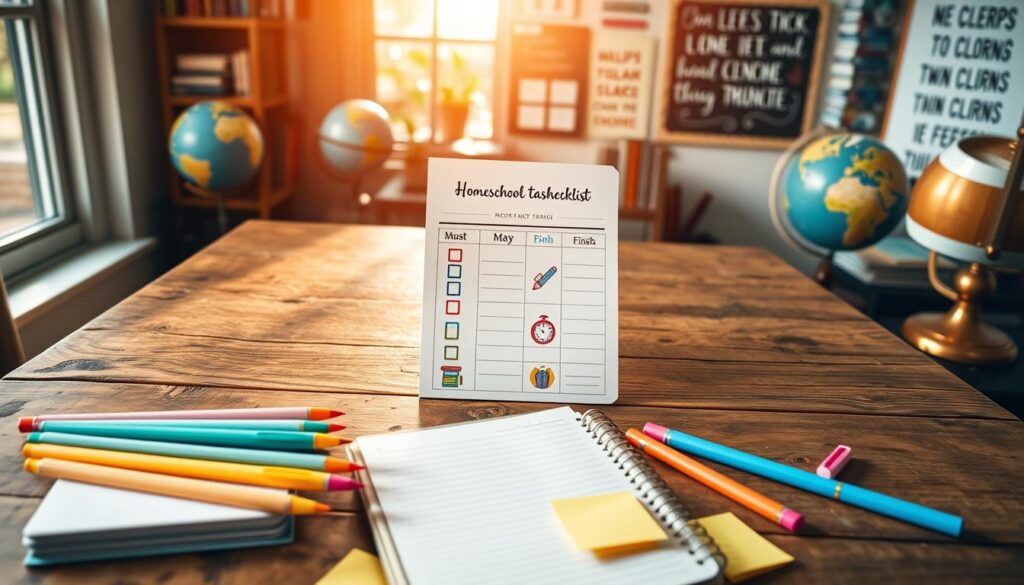
How do you hand over this plan? It’s a mix of physical and digital. Some kids like something they can hold, like a laminated card. Others prefer digital feedback.
For digital kids, apps like Homeschool Planet are perfect. They get instant feedback and feel accomplished. It makes schoolwork feel like a game.
This system does more than organize tasks. It clears your child’s mind. Instead of feeling overwhelmed, they have a clear plan. They know exactly what to do.
This approach changes everything. It turns nagging into empowerment. You’re no longer just telling them what to do. You’re guiding them through their own plan.
Whether you use a paper weekly planner or digital checklists, the goal is the same. Clarity helps your child succeed. Autonomy makes them invested. A simple card or list becomes a powerful tool for your child’s success.
Paper vs Digital: Pros/Cons and a Hybrid Setup
Planning tools are like religions, with paper and digital being rival denominations. Each has its own followers and rituals. I’ve tried both and found that the best approach is a hybrid planning setup.
Paper planners have a special charm. They offer a tactile experience and quick start-up. They also help avoid the digital glare that can make planning feel like another meeting.
Paper is great for brainstorming and journaling. It’s where planning meets processing. Happy Planner and Schoolnest offer beautiful layouts that encourage engagement.
But paper has its limits. Changing a lesson date can be messy or demotivating. Sharing plans with tutors requires photocopies or photos. Tracking progress over time is like being an archaeologist.
Digital planners have their own strengths. They automate tasks, making it easy to duplicate and reschedule plans. Homeschool Planet and Trello are great for this. You can access your plans from anywhere, anytime.
Digital planners are perfect for handling logistics. They automatically calculate hours and store plans in searchable archives. Sharing plans is easy, but planning on a screen can feel less personal.
Here’s a practical comparison:
- Paper Pros: Tactile, portable, no tech needed, creative freedom, good for daily tasks
- Paper Cons: Hard to edit, hard to share, limited search, storage issues
- Digital Pros: Easy to edit, share, powerful search, automatic calculations
- Digital Cons: Can be tiring, has a learning curve, costs money, depends on tech
The key is to use each tool for its strengths. Digital for planning, paper for daily tasks.
I plan the year digitally in Homeschool Planet. Then, I print the weekly plan in black and white. This plan goes on the fridge and in student binders.
This hybrid planning setup balances complexity and simplicity. Digital handles the big picture, while paper keeps us grounded.
The debate is not paper or digital. It’s paper and digital. Each has its role in planning.
One homeschooler shared, “Homeschool Planet lets me print plans in color or black and white. I get digital flexibility with paper simplicity.” This is the hybrid advantage.
Your ideal system might lean more paper or digital. But consider a hybrid approach. This way, each medium does its best, making planning smarter and smoother.
Tracking Progress: Grades, Narrations, and Work Samples
Your homeschool planner is like a map. Progress tracking is the compass that shows if you’re on the right path. Just checking off tasks doesn’t mean you’re learning. Real education happens when you understand what you’ve done.
This part of your planner is your feedback loop. It goes beyond just asking if you did it. It asks what you learned. The answer isn’t always a number.
For some, homeschool assessment methods include grades and tests. These are clear and needed for high school records. Your planner can have a simple grading log for scores and averages.
Others prefer a more personal approach. It’s like a Friday “Show & Tell” where your child talks about what they learned. You write down their explanation in your progress tracking logs. Their words often show more than any test.
Just doing something isn’t the same as understanding it. It’s important to track progress throughout the year, not just at the end.
Portfolio building is about collecting memories of your learning journey. Take photos of projects, save essays, and keep math packets. Store them in a digital folder or a physical bin.
Think of it as collecting evidence of your learning. Here are three ways to add tracking to your planner:
- The Weekly Recap: Spend 10 minutes with each child on Fridays. Ask them to share one thing they learned that week. Write down their answer exactly as they say it. This builds a log of their growing knowledge.
- The Monthly Snapshot: Choose one subject each month. Take a photo of a project or a page of work. File it digitally with a brief note. By June, you’ll have 10 examples of their learning.
- The Semester Transcript: For high school students, keep a Google Sheet or planner page. Log courses, credits, and grades as you go. This avoids last-minute transcript stress.
When you make homeschool assessment methods part of your routine, it’s easier. Your planner should have spaces for notes, work samples, and grade logs.
This turns assessment into a discovery. You’re not just tracking progress; you’re seeing a mind grow. Those progress tracking logs and portfolio building efforts tell a story of your journey. They show that every step was worth it.
Pacing Guides and Catch‑Up Weeks
Think of the pacing guide like a jazz musician’s chord chart. It gives structure but invites improvisation. Homeschool plans often change due to unexpected events like a stomach virus or a sunny day.
Adaptability is key, not strict following. This mindset turns planning into a liberating tool. It helps you adjust to life’s changes smoothly.
We start with flexible schedules. A common strategy is to have a Catch-Up Week every sixth week. It’s not a break but a chance to catch up, review, or relax. It’s like a pit stop for your homeschool journey.
But what about unfinished work before the Catch-Up Week? You need a clear plan. Without one, you might make hasty decisions during a chaotic day.
Your digital planner can help with the adjustments. But the real trick is to accept life’s flow. Sometimes you rush, sometimes you slow down, and sometimes you pause to enjoy the view. A good plan expects this.
| Unfinished Assignment Scenario | Immediate Action | Long-Term Strategy | Best For |
|---|---|---|---|
| Single missed worksheet (concept mastered) | Mark as complete or delete | Reduce future similar busywork | Avoiding pointless repetition |
| Multiple lessons behind in one subject | Move all to current day | Schedule a “double-up” focus week soon | Preventing foundational gaps |
| Behind across all subjects (illness, trip) | Do nothing; pause the plan | Utilize the next Catch-Up Week | Major life interruptions |
| Consistent daily slippage | Analyze why (too much volume?) | Adjust the pacing guide permanently | Systemic over-scheduling |
| Child passionately exploring a tangent | Let it go; follow the interest | Document as enrichment, not deficit | Fostering intrinsic motivation |
This table is more than a checklist. It’s a guide for making decisions. It helps you avoid guilt and save mental energy.
A digital pacing guide makes these decisions easy. You can delete, mark as complete, or move assignments with a click. This way, you focus on learning, not paperwork.
This approach eliminates the feeling of being behind. You’re not behind; you’re adaptable. Your plan has a built-in recovery protocol. You’re free to improvise, like a jazz musician, with your pacing guide.
Communication Binder for Co‑Op/Tutor/Assessors
Your homeschool planner is a sacred document. It’s not meant for everyone to see. But, homeschooling often involves working with others.
That’s where the Communication Binder comes in. It’s like a summary of your homeschool’s plans. It shows you have a plan without showing all the details.
This binder is your main external accountability tool. It helps with co-op teachers, online tutors, and even state assessors. It makes your plans easy for others to understand.
What Goes in the Binder? A Curated Selection
You don’t need to share everything. Just the important parts. For digital families, this means a shared folder or clean PDFs.
Your shared homeschool records should include:
- A Snapshot Syllabus: A one-page overview of the year’s goals by subject.
- Quarterly Plans: Clean versions of your upcoming or completed units.
- Progress Reports: A simple log of completed work, grades (if you keep them), and standout projects.
- Work Samples: Two or three stellar pieces of work—a great essay, a science lab sheet, a art photo.
Customization is key. You wouldn’t give the same packet to everyone. Your binder adapts to each audience.
| Audience | Primary Need | Essential Binder Sections | Format & Tone |
|---|---|---|---|
| Co‑Op Teacher | Alignment with group lessons; see student prep level. | Upcoming unit plans; pre-assessment results; relevant co-op planning notes. | Collaborative, forward-looking. “Here’s where we’re headed.” |
| Online Tutor | Understand gaps, strengths, and your teaching style. | Recent progress reports; specific struggle areas; your curricular resources. | Diagnostic, supportive. “Here’s where we need a guide.” |
| State Assessor / Evaluator | Documentation of progress and compliance. | Annual goals; portfolio of work samples; standardized test scores (if applicable). | Formal, comprehensiv. “Here is the evidence of learning.” |
| Family Helper (e.g., Grandparent) | Clarity on what to help with and how. | Weekly task list for their subject; answer keys; simple instructions. | Friendly, instructive. “Here’s how you can jump in.” |
This table isn’t just busywork; it’s the strategy behind your shared records. It turns a generic packet into a targeted communication tool.
The Digital Handshake
If you’re digital, your “binder” is a cloud folder. Share a link with your co-op. Email a PDF from your planner app for college applications. This digital layer is fast and professional.
The goal is to show your homeschool’s journey is considered. Your Communication Binder is the proof. It’s the difference between “trust me” and “here, let me show you.” And in a world that sometimes side-eyes homeschooling, that’s a powerful shift.
Building these external accountability tools isn’t about bending to pressure. It’s about confidently sharing your homeschool’s story, on your own terms.
File Naming and Version Control at Home
This section is like your own IT meeting. We’re tackling digital clutter that could ruin your plans. If your homeschool planner is digital, this is essential.
Ever looked at a folder called “Homeschool Stuff” with 47 versions of “Schedule,” “Plan,” and “FinalDraft”? It’s like a digital junk drawer. The chaos of `FinalPlan_v2_ReallyFinal_Updated.pdf` is frustrating. Let’s clean it up.
Good digital organization for homeschool starts with smart file naming conventions. It’s like giving your files a clear identity. A good name tells you what’s inside without opening it.
Here’s a simple system that works:
- Year_Subject_Grade_ContentType: `2025-26_History_Gr7_ScopeSeq.pdf`
- StudentName_Subject_Quarter: `Emma_Math_Q3_Worksheets.zip`
- Template_vs_Working: `TEMPLATE_Weekly_Spread.xlsx` vs `2025_Wk12_Working.xlsx`
Consistency is key. Choose one format for all subjects and students. This makes finding files later much easier.
Next, create a logical folder structure in your cloud service. Google Drive or Dropbox are good choices for syncing. Your main folders might look like this:
- Homeschool HQ (Main Folder)
- Annual_Templates (Your untouched master copies)
- Current_Year_2025 (Active working documents)
- By_Student (Subfolders for each child)
- By_Subject (Subfolders: Math, History, Science, etc.)
- Archives (Completed years, for records)
Cloud backup for plans is now a must. A cloud service adds security to your planning. Your data is safely stored online.
This security is vital. It protects against computer crashes, lost devices, or spills. Your plans are safe, no matter what.
Now, let’s talk version control. This is different from simple backup. You need two types:
- Master Templates: These are your untouched originals. Never edit these directly. They’re your blueprint.
- Working Documents: These are your current, editable copies. You might save a new version each quarter or semester.
A simple method: append the date to working files. `2025-26_Gr7_History_Plan_2025-01-15.docx` shows it’s from January 15th. If you need to revert, you can.
This process is called digital housekeeping. It’s the behind-the-scenes work that prevents data loss and saves time. Spend 30 minutes setting this up now, and you’ll save hours later.
Your digital organization for homeschool system should be strong. It should last through computer upgrades, changes, and chaos. Good file naming conventions and a solid cloud backup for plans strategy make that possible.
Think of it this way: you’ve spent time on amazing plans. Now protect them. Future-you will thank you when finding that document at 7:45 AM on a random Tuesday.
Downloadables: Year Plan, Weekly Spread, Task Cards, Logs
It’s time to put theory into action. Think of this as your homeschool planner system starter kit. We’re moving from ideas to action.
I’ve put together a set of homeschooling organizational printables. You’ll get a Year-at-a-Glance sheet for your big goals, a Weekly Spread for planning, and Daily Task Cards for different ages. These are your essential planning sheets.
Want to make your own paper planner? Get the free template and start making it your own. The best system is one you customize through trial and error.
Print these free homeschool planner templates. Put them in a binder or use them on your tablet. They’re made to be flexible, not strict. This is just the start of creating a plan that fits your unique classroom.
Today’s free planner is for you. It’s the first step to organizing your homeschool. Download the kit. Start building. Your organized homeschool year is waiting.
