
Imagine trying to run the latest software on a twenty-year-old operating system. It’s a recipe for crashes, frustration, and wasted talent.
For many brilliant, neurodiverse kids, the traditional classroom is that outdated OS. It’s like trying to fit a square peg into a round hole. Their spark fades under the pressure of standardized expectations.
But what if the problem isn’t the peg, but the workshop itself? Choosing a personalized path isn’t a retreat from education. It’s a strategic move.
You’re not doing “school at home.” You’re architecting a custom learning environment. This is about creating a space where real growth happens, away from the noise of a crowded room.
This guide is your blueprint. We move beyond survival mode. Here, accommodations are woven into the day. Therapies integrate seamlessly. Progress is measured in genuine breakthroughs, not just checked boxes.
Ready to build a framework that actually fits? Let’s start by understanding how tools like an IEP at home can become part of your custom design.
Key Takeaways
- Homeschooling offers a flexible, personalized alternative to rigid traditional school structures.
- The goal is to create a calibrated environment that reduces overwhelm and fosters real learning.
- Effective planning integrates accommodations and therapies into the daily routine, not as an afterthought.
- Progress tracking should focus on meaningful breakthroughs, not just compliance.
- Understanding formal plans and evaluations can inform your custom approach, even at home.
- This path is a strategic choice for empowerment, not a last resort.
- You are building a unique framework designed for your child’s specific needs.
Understanding Your Child’s Profile (Strengths, Needs)
Before you become a curriculum connoisseur, you need to master the art of educational espionage. Your mission, should you choose to accept it, involves more stealth than structure. Forget the deficit model—that tired checklist of what your child can’t do. We’re trading in report cards for reconnaissance.
Your most powerful diagnostic tool isn’t buried in a testing manual. It’s observation. Pure, unfiltered, Sherlock-Holmes-level observation. Watch how they tackle a puzzle versus a paragraph. Notice when frustration blooms during sequential tasks but evaporates during creative ones. This isn’t about catching them failing; it’s about decoding their unique operating system.
Why does this matter? Because choosing the right assistive tech without understanding the root problem is like prescribing glasses for an ear infection. It addresses the wrong sensory channel. The formal MET (Multidisciplinary Evaluation Team) evaluation can be your Rosetta Stone here. It doesn’t just label; it decodes the “why” behind the struggle.
Is the math meltdown really about numbers, or is it a working memory glitch that loses track of multi-step instructions? Is the phonics resistance an auditory processing issue, making sounds blur together like a bad phone connection? Knowing this transforms your strategy from guesswork to targeted intervention.
You can’t build an effective bridge if you don’t know where the chasms are.
Start your intelligence gathering with these three focal points:
- Strengths & Interests: That obsessive dinosaur phase? It could be a gateway to taxonomy, biology, or even timeline math. Visual-spatial genius often masquerades as a “struggling reader” when words feel linear and confining.
- Challenge Patterns: Look for the pattern in the struggle. Does it always happen with verbal instructions? With time pressure? With open-ended tasks? The pattern points to the processor, not the person.
- Performance Context: Do they thrive one-on-one but shut down in a simulated “classroom” setting? Does their performance change before lunch or after therapy? Context is intelligence, not an excuse.
Let’s get tactical. Here’s how informal observation stacks up against formal evaluation:
| Method | What It Reveals | Best For Identifying |
|---|---|---|
| Daily Observation | Real-time reactions, natural problem-solving, interest triggers, frustration points in context. | Learning preferences, environmental sensitivities, authentic strengths. |
| Structured Activity Analysis | How they approach a timed task, multi-step project, or new type of problem. | Executive function gaps, processing speed, adaptability. |
| Formal MET Evaluation | Standardized scores, clinical diagnoses, cognitive processing breakdowns, eligibility for services. | Specific learning disabilities, neuropsychological profiles, root-cause analysis for interventions. |
This profile isn’t a static document. It’s a living dossier that evolves. Today’s “challenge” with sequential instructions might tomorrow become a strength in coding logic. Your job is to connect the dots between the struggle and the solution. That’s where smart assistive tech choices enter the chat.
When you know the “why,” you can match the “what.” An auditory processing issue begs for text-to-speech software. A working memory deficit calls for graphic organizer apps. The right tool turns a barrier into a bypass. But pick the wrong one, and you’re just adding digital clutter to the cognitive load.
So put down the curriculum catalog. Pick up your metaphorical magnifying glass. The clues are everywhere. Your child’s profile is the master key that unlocks everything else—the schedule, the therapies, the peace. Start mapping.
Translating IEP/504 Supports to Home Plans
Think of your child’s IEP or 504 plan as a restaurant menu you’ll never try. It’s full of promising dishes—accommodations, therapies, goals—that you now have to make in your own kitchen. Turning this document into a home plan is your first, and most important, creative task.
Legally, you might not need this document. But practically, it’s your strategic playbook. It gives you clarity and structure. It moves you from vague “help with reading” to a specific, measurable target. This is where SMART goals earn their name.
Let’s craft one. Instead of “improve decoding skills,” you write: “Using multisensory instruction, the student will decode CVC words with 80% accuracy in 6 months.” See the difference? You have a method, a metric, and a timeline. It’s the contract you make with yourself to ensure Tuesday at 10 AM has a purpose.
Your translation process involves a few key moves:
- Extract the Spirit: Look past the jargon. What’s the core need? “Frequent breaks” becomes a scheduled sensory protocol. “Preferential seating” transforms into a defined, distraction-free workspace.
- Domesticate the Accommodations: List every support and ask, “What does this look like in my living room?” Extended time? That’s a timer and a chill vibe. Verbal prompts? That’s your script.
- Build Your Dashboard: This is where tools like the THSC IEP Generator shine. They help you organize goals, methods (like multisensory instruction), and tracking into one coherent home plan. It’s the difference between a wishlist and a project management console.
The ultimate goal is to forge a living document. Your home IEP answers the only question that matters: “What are we actually doing?” It transforms anxiety into action, theoretical supports into daily routines. You’re not just teaching. You’re engineering progress with a blueprint you understand inside and out.
Multisensory Instruction for Reading/Math
Multisensory instruction makes learning real. It turns symbols into experiences the brain can’t ignore. It’s like creating a new path in the brain if one is blocked.
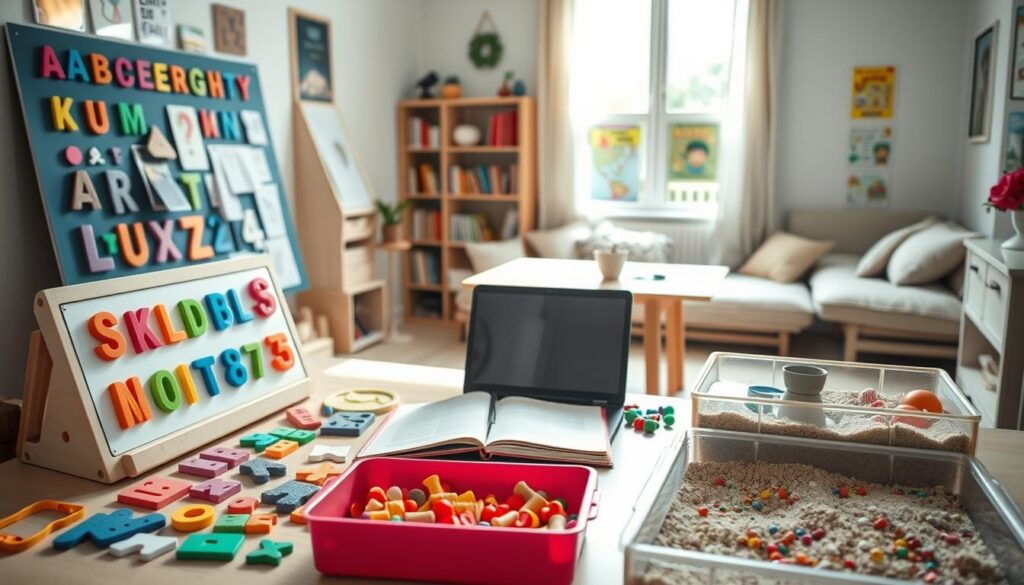
For a child struggling with reading, the page is a puzzle. Traditional methods might focus too much on phonics. But, a IEP at home approach makes letters into objects. Kids might trace “S” in shaving cream or build “CAT” with tiles.
Audiobooks and graphic organizers are key tools. They help kids understand while they’re learning to read. These tools aren’t just helpful; they’re essential.
When you focus on building neural networks, learning becomes a full-body activity. Reading and math become fun and tangible. Fractions are LEGO towers, and times tables are catchy songs.
Personalized pacing is vital. Multisensory methods let kids learn at their own speed. They can practice a concept until they get it right. This approach is different from the classroom model, where everyone moves at the same pace.
Here are some practical tips for home learning:
- Reading: Try “ear-reading” with audiobooks. Use colored overlays and spell words with Scrabble tiles or in sand.
- Math: Use a hopscotch number line instead of flashcards. Make place value physical with coins or beads. Draw word problems as comic strips.
- Both: Add movement to learning. Let kids pace while reciting facts. Use hand gestures to represent parts of speech or math operations.
The goal is to make learning connections so strong that forgetting is hard. When you apply these ideas to your IEP at home, you’re creating a learning space that works for your child. You’re not just teaching reading or math. You’re teaching them how to learn.
Scheduling Therapies (OT, Speech, PT) at Home/Clinic
The old way of doing therapy is changing. Now, it’s not just a side note. At home, therapy is the focus. No more missing out on important lessons.
Occupational therapy is about fine motor skills. It’s not just a short time each week. It’s the daily practice, like handwriting after breakfast.
Physical therapy is about moving around. It’s not just a visit to the clinic. It’s the obstacle course in your backyard before math.
This new way of thinking is a big change. It’s not just academics and therapy. It’s all about learning together.
Assistive tech helps a lot. It makes learning fun and real. Using apps during games is not just homework. It’s learning to communicate in a fun way.
This new way of doing things makes a big difference. It reduces stress and helps skills stick better. It’s not about fitting therapy into your day. It’s about making your day therapeutic.
Assistive Tech (Text‑to‑Speech, AAC, Note Tools)
Let’s cut through the noise. Assistive technology isn’t a crutch. It’s a power tool. It’s like giving a master carpenter with a broken arm a nail gun. The skill is there; the tool just removes the barrier.
In the homeschool classroom, this mindset shift is everything. These tools are great equalizers. They bypass faulty wiring so a child’s energy can focus on thinking, creating, and analyzing.
Text-to-speech software isn’t cheating at reading. It’s like glasses for seeing. It doesn’t replace learning to decode; it gives immediate access to content. The child hears the text, freeing their mind to focus on comprehension and enjoying the story.
Speech-to-text isn’t about avoiding writing. It’s a jailbreak for ideas trapped by dysgraphia or fine-motor struggles. The child dictates their essay or hypothesis. The mechanical hurdle of handwriting or typing vanishes, leaving only pure intellectual expression.
An AAC device isn’t a last resort. It’s a voice, full stop.
For non-verbal or minimally verbal learners, Augmentative and Alternative Communication (AAC) tools are that voice. They transform frustration into connection. They give a child the autonomy to express needs, share thoughts, and participate in the family’s daily learning.
So, how do you choose? Forget the flashiest app. The goal is to find the key that unlocks a specific, frustrating bottleneck.
- For reading barriers: Explore built-in device features (like iOS’s Speak Screen) or dedicated apps like NaturalReader. Pair them with audiobook services.
- For writing barriers: Leverage voice typing in Google Docs or Dragon Anywhere. For note-taking, tools like Notability or OneNote that combine typing, audio recording, and drawing are game-changers.
- For communication barriers: Work with a speech therapist to identify the right AAC system, whether it’s Proloquo2Go or a simpler, low-tech solution.
This is where tech seamlessly integrates with multisensory instruction. If your teaching method engages sight, sound, and touch, the assistive tech often provides the critical “audio” and “visual” components. The text-to-speech function is the reliable auditory input. The colorful, interactive AAC grid is the visual-tactile gateway to language.
Ultimately, this isn’t about lowering standards. It’s about raising access. You’re not giving an unfair advantage. You’re removing an unfair obstacle, allowing your child’s true abilities to shine on a level playing field they can now reach.
Behavior Supports and Visual Schedules
What if we stopped asking “Why is my child misbehaving?” and started asking “What in this environment is making self-regulation impossible?” This isn’t just semantics. It’s a big change from being a behavior cop to becoming an environmental engineer. Your home is a place you design for the best human functioning, not a prison.
Traditional behavior charts with smiley faces and sticker rewards don’t really work. They just cover up the problem. When you have an IEP at home, your behavior plan should be like a guide for a special piece of equipment.

The visual schedule is not a strict rule. It’s like a predictability engine. For many kids, anxiety comes from not knowing what’s next. A visual schedule answers this question before it’s asked, making time easier to understand.
A simple strip of Velcro with laminated picture cards can prevent more meltdowns than time-outs. The schedule gives structure but also flexibility. If plans change, you can adjust the schedule easily. This shows how systems can adapt.
Now, let’s talk about making your IEP at home work. These aren’t rewards for good behavior. They’re important for keeping the system running:
- Flexible seating: Choose where you work best. Chairs and desks are not the only options.
- Fidget tools: These are not toys but tools to release energy. They help focus.
- Noise-canceling headphones: They are like closing the blinds for your ears. They help when it’s too loud.
- Frequent movement breaks: These breaks are essential. They help the brain focus by giving it what it needs.
A child isn’t “refusing” to do their work. Their brain is overwhelmed. You can’t reason with it when it’s in survival mode. So, you design the environment to prevent this.
The goal isn’t to force compliance. It’s to help the child regulate through design. Your home-based plan anticipates problems and offers solutions. Sometimes, the best thing is to take a break and go for a walk.
Remember, behavior is often a sign of a bigger problem. The system is overloaded or missing something important. Your job is to read these signs and make changes. Add predictability, reduce clutter, and increase movement.
When you get this right, things improve. Battles decrease, and the child starts to trust the structure. You stop managing behavior and start seeing their true capabilities.
FAQ
Q: What is the role of assistive technology in education?
A: Assistive technology plays a vital role in education by providing tools and resources that help students with disabilities overcome barriers and achieve their full academic and personal potentials. It supports students with various needs, including physical, cognitive, and sensory disabilities, and helps them access educational materials and participate in learning activities.
Q: How does assistive technology support students with disabilities?
A: Assistive technology supports students with disabilities by providing tools and resources that help them overcome barriers and achieve their full academic and personal potentials. It includes assistive devices, software, and apps that help students with physical, cognitive, and sensory disabilities access educational materials and participate in learning activities.
Q: What are some examples of assistive technology in education?
A: Some examples of assistive technology in education include text-to-speech software, speech-to-text software, braille displays, magnification software, and adaptive keyboards. These tools help students with various disabilities access educational materials and participate in learning activities.
Q: How can assistive technology be integrated into the classroom?
A: Assistive technology can be integrated into the classroom by incorporating assistive devices, software, and apps into daily learning activities. Teachers can use assistive technology to support students with disabilities and provide equal opportunities for all students to access educational materials and participate in learning activities.
Q: What are the benefits of assistive technology in education?
A: The benefits of assistive technology in education include improved accessibility, increased participation, and enhanced academic performance. Assistive technology helps students with disabilities access educational materials and participate in learning activities, leading to better academic outcomes and increased confidence.
Q: How can assistive technology be used to support students with disabilities?
A: Assistive technology can be used to support students with disabilities by providing tools and resources that help them overcome barriers and achieve their full academic and personal potentials. It includes assistive devices, software, and apps that help students with physical, cognitive, and sensory disabilities access educational materials and participate in learning activities.
Q: What are the future trends in assistive technology for education?
A: The future trends in assistive technology for education include advancements in artificial intelligence, machine learning, and virtual and augmented reality. These technologies have the ability to revolutionize the way students with disabilities access educational materials and participate in learning activities, providing personalized support and enhanced accessibility.
Q: How can assistive technology be used to support students with disabilities?
A: Assistive technology can be used to support students with disabilities by providing tools and resources that help them overcome barriers and achieve their full academic and personal potentials. It includes assistive devices, software, and apps that help students with physical, cognitive, and sensory disabilities access educational materials and participate in learning activities.
Q: What are the benefits of assistive technology in education?
A: The benefits of assistive technology in education include improved accessibility, increased participation, and enhanced academic performance. Assistive technology helps students with disabilities access educational materials and participate in learning activities, leading to better academic outcomes and increased confidence.
Q: How can assistive technology be used to support students with disabilities?
A: Assistive technology can be used to support students with disabilities by providing tools and resources that help them overcome barriers and achieve their full academic and personal potentials. It includes assistive devices, software, and apps that help students with physical, cognitive, and sensory disabilities access educational materials and participate in learning activities.
Q: What are the future trends in assistive technology for education?
A: The future trends in assistive technology for education include advancements in artificial intelligence, machine learning, and virtual and augmented reality. These technologies have the ability to revolutionize the way students with disabilities access educational materials and participate in learning activities, providing personalized support and enhanced accessibility.
Accessing Services via District/Insurance (where possible)
The castle drawbridge isn’t always up. Sometimes, you can get into the kingdom’s resources while ruling your own domain. As a homeschooler, you’re the main builder, but it’s smart to know when to hire others.
Getting into public school districts or insurance for services needs careful planning. You’re not giving up control. You’re making strategic partnerships. It’s like getting resources from systems that think you’ve left their area.
First, learn about your state’s rules. Education laws change a lot from state to state. Some see homeschoolers as outsiders, while others let them use public resources.
In some states, an IEP can be your ticket. It lets homeschoolers get special education services from public schools. You might get speech, occupational, or physical therapy if you know how to ask.
But, districts might not be eager to help. They’re not used to serving homeschoolers. Yet, the law might force them to help all kids with disabilities, no matter where they learn.
How you ask matters a lot. Bring your IEP and talk about working together, not fighting. You’re asking them to help in a new way.
Insurance battles are tough too. The right codes can unlock coverage for therapies that save your homeschool budget.
Work with providers who know the system. Find therapists who can document for insurance. This isn’t cheating. It’s using the system as it’s meant to be.
The aim isn’t to make homeschooling like public school. It’s to mix their multisensory instruction with your homeschooling. They give the special tools. You use them every day.
Here’s a table comparing your options:
| Resource Source | What’s Available | Typical Requirements | Strategic Advantage |
|---|---|---|---|
| Public School District | Related services (OT, PT, speech), sometimes assessments | Existing IEP, state laws allowing access, formal request | Expert specialists at no direct cost, structured multisensory instruction protocols |
| Health Insurance | Therapy sessions, diagnostic assessments, some equipment | Medical diagnosis, ICD-10 codes, network providers | Clinical expertise, ongoing coverage, professional documentation |
| Education Savings Accounts (ESAs) | Funding for therapies, curriculum, specialized materials | State participation, qualification paperwork, approved providers | Financial flexibility, parent-directed spending, combines multiple resources |
| Private Pay/Out-of-Pocket | Any service from any provider | Financial resources, personal research | Complete control, no bureaucratic hurdles, immediate access |
ESAs offer a middle ground. They give you money without district control. You become the leader in getting your child the right support.
Changing how you think is key. You’re not going back to the system you left. You’re bringing in their expertise. It’s like a CEO outsourcing IT while keeping product development in-house.
Mix these services into your daily routine. Use that occupational therapy session to practice skills at home. Make reading lessons use the multisensory instruction techniques from speech therapy.
Keep all records. Document district talks and insurance info. Track what works and what doesn’t. This isn’t just paperwork. It’s gathering intel for future talks.
The goal is to build your child’s dream support team. The district or insurer might fund a key member. You provide the vision and daily guidance. Together, they achieve more than they could alone.
Never think the drawbridge is always up. Sometimes, it’s just guarded by someone who needs the right approach.
Safety, Sensory Spaces, and Caregiver Support
After all the schedules, therapies, and data sheets, we return to where we began. The ultimate accommodation isn’t a curriculum or an app. It’s safety. Think of it as the emotional firewall for your homeschool operation.
A sensory space is the physical manifestation of that firewall. This isn’t a punitive “time-out” corner. It’s a launchpad for self-regulation. A low-lit fort with weighted blankets and noise buffers becomes command central for emotional reboot.
Properly designed sensory rooms, like those discussed by National Autism Resources, transform overwhelm into opportunity.
Let’s be brutally analytical. The caregiver is the most critical piece of infrastructure in this entire IEP at home system. You are the server, the network, and the user interface. When you’re running on fumes, the whole system crashes.
Caregiver support isn’t a luxury. It’s a logistical necessity. This means actual respite. It means connecting with other homeschool parents—your fellow engineers debugging the same code. Sometimes it means therapy for yourself.
The transformation is real: mornings without panic attacks, hope instead of dread.
Your final, unwritten IEP at home goal isn’t about academic benchmarks. It’s creating an environment where both your child and you can breathe. Where you don’t just survive the day, but actually rediscover the joy of learning together. That’s the real progress track. The peace dividend of a well-designed system.
