
Starting a new school year can feel overwhelming. A mountain of assignments, exams, and deadlines looms on the horizon. The secret to conquering this feeling isn’t working harder—it’s working smarter from day one.
The most powerful first step is to create a visual map of your entire academic year. This is where semester planning becomes your strategic foundation. Open your academic planner and mark the key dates: the first and last day of classes, holiday breaks, and major exam windows.
This bird’s-eye view transforms a chaotic list into a clear, manageable timeline. You suddenly see where the intense periods will be and where you can schedule essential rest.
This proactive approach eliminates last-minute cramming and reduces anxiety. It provides the framework for all your detailed weekly and daily scheduling. You move from being reactive to in control of your success.
Time-Blocking Basics: focus blocks, buffers, recovery time
A 2025 study showed that students using time-blocking cut down on last-minute cramming by 37%. Their GPAs also went up by an average of 0.4 points. This method turns chaos into a clear plan. It divides your day into blocks for specific tasks.
Imagine giving each hour a job. This way, you control your time, not the other way around. It’s the heart of a smart study schedule.
Effective time-blocking needs three main types of blocks. Finding the right balance is key to staying productive.
Focus Blocks are for deep, uninterrupted work. This is when you tackle complex tasks, write essays, or read thick books. Use the Pomodoro technique to stay focused. Work for 25 minutes, then take a 5-minute break.
Buffer Blocks act as shock absorbers in your schedule. They’re between focus blocks or before meetings. Use them for emails, organizing, or unexpected tasks. Buffers keep your day on track.
Recovery Time is a must. It includes meals, short walks, stretching, or just relaxing. It’s not idle time. It’s vital for your brain to recharge for the next focus session.
| Block Type | Primary Purpose | Typical Duration | Student Example |
|---|---|---|---|
| Focus Block | Deep work & concentrated study | 50-90 minutes | Completing a chemistry problem set |
| Buffer Block | Transitions & small tasks | 15-30 minutes | Reviewing notes before class, checking messages |
| Recovery Time | Mental & physical recharge | 20-60 minutes | Eating lunch, walking outside, listening to music |
Begin by blocking fixed commitments like classes and work. Then, put your toughest academic tasks in focus blocks during your best energy times. Be realistic about how long tasks take.
This is a flexible plan, not a strict rule. The aim is to create a study schedule that suits you. If a Pomodoro session feels too short, change it. The system fits your personal pace.
By planning focus, buffers, and recovery, you build a day for sustained effort and avoid burnout. You shift from reacting to tasks to planning your success.
Subject Color System: classes, labs, clubs, priorities
For students, a color system can make planning easier. It turns your planner into a visual guide. Your brain learns to spot patterns and priorities quickly.
Assign a unique color to each area of your life. This includes school subjects, labs, clubs, and personal time. It helps you see your schedule clearly.
This system is a big help for students with ADHD. It makes planning less stressful. A quick look at your planner shows you if you’re busy or have free time.
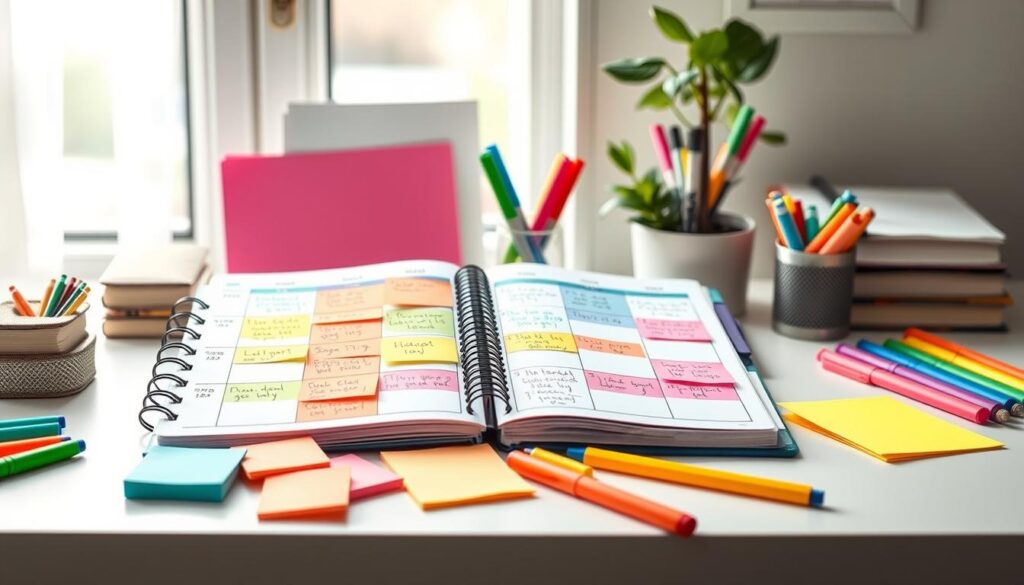
Setting up this system is easy but needs to be consistent. Pick your colors once and use them everywhere. This helps your brain learn fast.
Practical tips for choosing and using your colors:
- Use bright highlighters or pens that pop.
- Choose colors that make sense, like green for Biology.
- Keep a color key on your planner’s first page.
- Use the same color for all related tasks.
- Start with 5-7 colors for your main commitments.
Use this table to pick colors for your commitments. It makes planning a brain workout.
| Commitment Type | Suggested Color | Purpose / Why |
|---|---|---|
| Core Academic Subject (e.g., Math) | Royal Blue | Creates a strong, consistent visual anchor for your most frequent and important work. |
| Lab or Practical Session | Bright Orange | Signals active, hands-on work that is distinct from lecture-based learning. |
| Club or Extracurricular | Forest Green | Represents growth, community, and non-academic passions, providing visual balance. |
| High-Priority Deadline | Red or Hot Pink | Commands immediate attention for urgent tasks like exams or major project due dates. |
| Personal & Self-Care Time | Purple or Teal | Visually safeguards essential recovery blocks, ensuring they are treated as non-negotiable appointments. |
Learning to organize with colors is key. It helps you make a perfect study plan. With time-blocking, you get a clear view of your tasks. This is great for ADHD planning, helping you stay focused and avoid feeling overwhelmed.
Core Spreads: term overview, monthly, weekly, daily, project pages
Think of your planner as a system of views for your school life. These core spreads work like a blueprint. They give clarity from semester plans to hourly tasks.
Each spread has its own role. Used together, they help manage your time and work. This structure turns plans into action and tracks your progress.
| Spread | Primary Purpose | Key Features |
|---|---|---|
| Term Overview | Big-picture strategy for the entire semester | Course list, major deadlines, semester-long GPA goals |
| Monthly Log | Track deadlines and monthly progress | Calendar view, exam dates, goal check-ins |
| Weekly Spread | Implement time-blocking for the week ahead | Subject color-coding, focus blocks, buffer time |
| Daily Page | Granular task management and focus | To-do list, appointment slots, daily priorities |
| Project Page | Plan and execute complex assignments | Brainstorming, task breakdown, resource list |
The Term Overview is your academic command center. Here, you map out all your courses, key project due dates, and exam periods. This is also where you declare your strategic GPA goals for the semester. Seeing the entire term at a glance helps you anticipate busy weeks and balance your workload from the start.
Your Monthly Log breaks the semester into manageable chunks. Use this calendar view to mark all fixed appointments, exams, and submission deadlines. At the end of each month, review your progress. This regular check-in is key for staying on track with your academic targets and adjusting your study plans if needed.
The Weekly Spread is where time-blocking comes to life. Transfer your commitments from the monthly log onto a weekly grid. Apply your subject color system to visually separate classes, labs, and study sessions. This layout helps you defend your focus blocks and schedule essential recovery time, creating a realistic and sustainable weekly rhythm.
For day-to-day execution, the Daily Page offers the most detail. List every specific task, from required readings to problem sets. This hyper-focused view prevents overwhelm by concentrating only on what’s actionable today. It turns your weekly plan into a series of achievable steps.
Major papers, lab reports, or thesis work deserve their own Project Pages. Dedicate a spread to brainstorm ideas, break the project into phases, and list necessary resources. This separates complex, long-term work from your daily to-do list, providing the space for deep planning and execution.
Together, these spreads form a cohesive planning system. You move fluidly from the high-level term overview down to your daily tasks. This hierarchy ensures you never lose sight of your semester GPA goals while effectively managing your immediate responsibilities. Whether you use grid paper for ultimate flexibility or a pre-printed template for structure, these core layouts provide the foundation for a smarter, more organized academic year.
Task Breakdown: readings, problem sets, drafts, rehearsals
An effective assignment tracker does more than log due dates. It breaks down work into smaller tasks. This helps you focus on what you need to do in each time block.
Big projects can feel too much to handle. A long research paper or a tough problem set can stop you in your tracks. The key is to break them down into smaller, easier tasks.
The Psychology of Small Wins
Finishing a small task gives you momentum. It boosts your confidence and helps you avoid putting things off. By writing down each small achievement, you see your progress. This makes studying feel like a series of successes.
Your Step-by-Step Breakdown Guide
Here’s how to tackle any big task. Start by writing the assignment name at the top of your planner page. Then, list every step you need to take to complete it.
- For readings: “Skim chapter 1,” “Highlight key terms,” “Type up summary notes.”
- For problem sets: “Review lecture examples 1-3,” “Solve practice problems A-D,” “Check answers with study group.”
- For drafts: “Review primary sources,” “Create a one-page outline,” “Draft introduction paragraph.”
- For rehearsals: “Practice opening slide monologue,” “Time the full presentation,” “Record and critique delivery.”
Next, assign these tasks to specific times in your schedule. This is where your color-coding system comes to life.
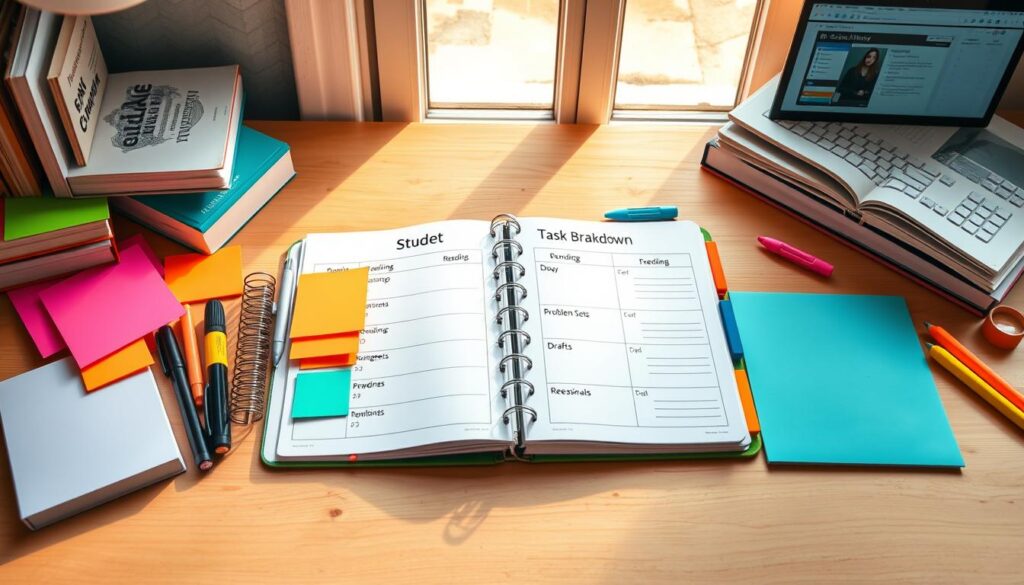
This method works for any subject. Whether it’s a history essay or a biology lab report, the principle is the same. The table below shows how to break down different types of assignments into smaller steps.
| Assignment Type | Daunting Task | Sample Breakdown (Actionable Steps) |
|---|---|---|
| Research Paper | Write a 15-page analysis. | 1. Finalize thesis statement. 2. Complete annotated bibliography. 3. Draft outline with section headers. 4. Write first draft of introduction. |
| STEM Problem Set | Solve 20 complex equations. | 1. Review relevant textbook chapter. 2. Solve 5 foundational problems. 3. Attend professor’s office hours for stuck problems. 4. Complete remaining 15 problems in two focused sessions. |
| Creative Project | Produce a short film. | 1. Finalize script draft. 2. Create shot list. 3. Schedule filming for Scene 1. 4. Edit first rough cut. |
| Oral Presentation | Deliver a 30-minute talk. | 1. Create slide deck skeleton. 2. Write speaker notes for first 10 minutes. 3. Rehearse with timer. 4. Incorporate feedback and refine delivery. |
By breaking down tasks, your planner becomes your go-to for managing schoolwork. It turns vague worries into a clear plan. Each task you complete brings you closer to your goal, with less stress.
This method makes it easy to start any task. It turns your planner into the best tool for handling your schoolwork and achieving success.
Exam Countdown: study plans, practice tests, memory cues
Mastering exam prep isn’t about cramming at the last minute. It’s about creating a study schedule weeks in advance. This turns hard material into a clear path to confidence.
A smart exam countdown breaks prep into phases. This uses optimized study cycles to boost retention and avoid falling behind. Your student planner is key to planning this journey.
Start by marking the exam date and working backward. Set time for three main phases:
- Initial Content Review: Early weeks are for re-reading notes, summarizing chapters, and grasping core concepts. This lays a solid foundation.
- Active Practice: The middle phase focuses on doing. Practice tests, problem sets, and past papers turn knowledge into action.
- Final Consolidation: In the last week, focus on memory cues. Use flashcards, mind maps, or self-quizzing to solidify key facts and formulas.
This phased study plan helps you cover all material without burnout. By scheduling topics in your planner, you make a visual plan. You can see your progress and adjust your review schedule if needed.
The key is in consistent, short study sessions over time. Spaced repetition is more effective than cramming. Your planner keeps you on track, turning exam anxiety into organized action.
Balance & Burnout: sleep, sports, arts, social time
Getting more study hours isn’t the only key to focus. It’s about setting aside time for sleep, sports, arts, and socializing. Treating these as non-negotiable appointments helps avoid burnout.
For students with ADHD planning, this is essential. The brain needs downtime to stay focused. Without it, burnout can lead to lost motivation and poor performance.
Science shows breaks are beneficial. They help the brain process and store new information. Creative ideas often come during breaks.
Source 1 suggests making breaks a priority. The brain needs oxygen and movement to stay sharp. They recommend outdoor time for a natural reset.
Here’s how to build a holistic schedule that fights burnout:
- Sleep: Plan for 7-9 hours each night. A regular sleep schedule is better than caffeine for energy.
- Sports & Movement: Schedule short exercise sessions. A 20-minute walk or gym session can help. It reduces stress and improves focus.
- Arts & Creative Pursuits: Set aside time for music, drawing, or writing. These activities relax the mind and provide mental relief.
- Social Time: Plan for coffee chats or family dinners. Socializing reduces isolation and provides emotional support during stressful times.
Make these blocks as important as lectures. Use colors in your planner to highlight them. A green block for outdoor time or a blue block for arts makes them stand out.
This approach is key for ADHD planning. These activities help regulate the senses and emotions. They are not distractions but essential for success.
The table below shows how to include these activities in your weekly plan:
| Activity Type | Core Benefit | Weekly Time Goal | Scheduling Tip |
|---|---|---|---|
| Sleep & Recovery | Memory consolidation, hormone regulation | 49-63 hours (7-9/night) | Block as a fixed, non-negotiable event each night. |
| Sports & Exercise | Stress reduction, focus boost | 3-5 hours | Schedule right before or after a demanding study block. |
| Arts & Creative Hobbies | Mental relaxation, creative thinking | 2-4 hours | Use as a reward after completing a major task. |
| Social & Connection Time | Emotional support, perspective shift | 4-6 hours | Integrate with meals or plan a dedicated weekend slot. |
| Outdoor & Unstructured Breaks | Mental reset, oxygen flow | Daily 15-30 min | Pencil in short breaks between focus blocks for optimal ADHD planning. |
Begin next week by setting aside time for something non-academic. It could be a nightly routine or a Tuesday sports practice. Protect these blocks. You’ll find your focused work time becomes more productive and less draining.
Remember, a high-performing student is well-rounded. Your planner should reflect your whole life, not just school. By valuing rest and joy, you build the resilience needed to excel.
Digital Supports: calendar sync, reminders, task apps
Digital apps and tools are not meant to replace your paper planner. They are powerful allies that help with the execution and reminders your strategy outlines. This mix gives you the best of both worlds: the deep thinking of analog planning and the automated power of digital tech.
The first layer of digital support is calendar synchronization. You can input your fixed class, lab, and club schedules from Google Calendar or Apple Calendar once. This creates a visual foundation in your digital life. Your paper planner is where you plan your weekly time blocks around these fixed commitments.
For managing tasks, dedicated task applications are invaluable. These apps are great at reminders and breaking down projects. When you write “start history essay draft” in your planner, you can set a digital reminder for that block. This ensures your planned work gets done.
The final layer involves focus and Pomodoro timers. These apps help you stick to your focus blocks. The Pomodoro technique uses 25-minute focused work sessions followed by short breaks. It trains your brain for deep concentration.
Several well-reviewed apps combine these functions beautifully. Here are a few top contenders for a student’s digital toolkit:
- TickTick: A robust task manager that includes calendar views, reminder functions, and a built-in Pomodoro timer. It’s a strong all-in-one contender.
- Forest: This app turns focus into a game. You plant a virtual tree that grows during a gamified Pomodoro session. If you leave the app, the tree dies. It’s excellent for minimizing phone distractions.
- Structured: This app provides a clean, visual timeline of your day. It integrates with your calendars and tasks to show a beautiful, ADHD-friendly overview of what’s happening and when.
- Saner.AI: An AI-powered tool that can help plan your day or week. You can forward emails or tasks to it, and it suggests where to slot them into your schedule, acting as a digital planning assistant.
Look for key features like cross-platform access, simple design, and tools that match your focus style. The goal is to build a personalized digital toolkit. This toolkit should make your analog system more powerful, not duplicate it. Let your planner be for strategy. Let your apps handle the alerts and timers that drive execution.
Parent/Teacher Tips: giftable sets and onboarding
Educators and family members are key in helping students develop good habits. A great start is choosing a good academic planner. This guide will help you make a simple gift into a tool for success.
Choosing the Right Academic Planner
There are many planners out there, but not all are good for long-term use. Look for one with a strong binding that won’t bend easily.
It should also have thick paper to prevent ink from bleeding through. The planner should have weekly and monthly views to help with planning.
Think about what the student needs. A visual learner might want more space for drawings. A STEM student might need pages for lab notes.
Building the Ultimate Giftable Set
A planner is a good start, but a complete kit is even better. This kit has everything the student needs to start using their planner right away.
You’ll need fine-tip pens, highlighters, and sticky notes. A small ruler helps with straight lines, and stickers make tracking fun.
| Component | Purpose | Recommendation |
|---|---|---|
| Academic Planner | Central hub for scheduling, tasks, and goals. | Choose one with time-blocking grids and sturdy binding. |
| Assorted Pens & Highlighters | Enables the subject color-coding system for visual organization. | Get a multi-color set with fine points for detail. |
| Sticky Notes & Page Flags | Allows for temporary notes, mark-ups, and flexible planning. | Include various sizes and colors. |
| Custom Stickers & Ruler | Adds personalization and aids in creating neat, structured layouts. | Look for themed sticker sets (exams, sports, arts) and a 6-inch ruler. |
Guiding the student is the real gift. A quick introduction can help them feel ready to succeed. Here are three easy steps to follow.
- Map the Academic Year: Start by marking all important dates in the planner. Include semester starts, holidays, exam times, and project deadlines. This gives a big-picture view.
- Establish the Color System: Pick a color for each subject and personal priority. Write down what each color means in the planner. Keeping it consistent is key.
- Tour the Core Spreads: Show the student how to use each section. Explain the monthly log, weekly spread, and daily pages. This helps them understand how to plan.
This process turns the planner into a personalized tool. It shows your support and helps the student develop important skills.
A good academic planner and proper introduction are investments in a student’s success. They help build skills in time management and self-advocacy. This thoughtful support can lay the foundation for future achievements.
Templates: weekly grid, subject dashboard, progress tracker
Adding specialized templates is the final step to a powerful planner system. These pre-designed pages turn your notebook into a dynamic command center. Ready-made schedule templates, like those in printable packs or apps, give you a head start.
The Weekly Grid is like your time-blocking blueprint. It provides clear slots for your focus blocks, buffers, and recovery periods. It gives you a bird’s-eye view of your week for better control.
A Subject Dashboard acts as a dedicated hub for each class. On one page, you can list upcoming due dates, record grades, and note important resources. This single sheet becomes the heart of your personal assignment tracker.
The Progress Tracker is for visualizing long-term goals. Use a simple chart to mark your improvement in a skill or track your GPA across a semester. Seeing your advancement builds motivation.
These three templates work together. They transform a blank book into a complete management system. Start by implementing one template, like the Weekly Grid or your assignment tracker dashboard. Your planner becomes the ultimate tool for academic success.
