
Choosing the right tool can change everything. It can make your life more organized and clear. The big question is between two main types.
One type gives a whole page to each day. It has a detailed hourly schedule for planning every hour. It’s like a personal headquarters for staying focused and managing tasks well.
The other type has two pages for a whole week. It’s a weekly dashboard that shows how everything fits together over seven days. It helps you see how your plans and goals connect.
It’s not about which one is better. It’s about finding what works best for you. Do you like to plan every day or see the big picture weekly? You can check out both options to find your favorite.
Knowing the difference is key to mastering your time. Let’s look closer at how each style works.
Decision Matrix: workload, meeting load, caregiving, study needs
Choosing between weekly and daily planners is not just about what you like. It’s about planning your capacity wisely. You need to understand what shapes your schedule.
Below is a quick guide to help you decide. Match your life’s key aspects to the planner that fits your life best.
| Life Variable | High Intensity Scenario | Recommended Layout | Primary Benefit |
|---|---|---|---|
| Workload | Project-based tasks, entrepreneurial goals, creative work | Weekly Planner | Provides a strategic overview for milestone tracking and resource allocation. |
| Meeting Load | Client-facing roles, back-to-back appointments, team syncs | Daily Planner | Offers granular time slots to prevent double-booking and account for every hour. |
| Caregiving | Managing family schedules, medical appointments, school activities | Hybrid (Weekly + Daily Notes) | Weekly view balances commitments; daily pages handle precise logistics. |
| Study Needs | Multiple courses, research blocks, assignment deadlines | Hybrid (Weekly + Daily Notes) | Weekly spread plans study themes; daily pages list specific readings and tasks. |
A high meeting load needs precision. If your day is filled with 30-minute slots, a daily planner is essential. It turns chaos into a clear plan.
For tasks that span days, a weekly planner is better. It shows how tasks fit together. This helps avoid overcommitting and find bottlenecks early.
Caregiving needs both views. Daily pages for schedules and weekly for big-picture planning. This ensures no conflicts in family activities.
For study needs, both views are useful. Weekly for planning study blocks and daily for detailed tasks. This keeps everything organized.
Your perfect planner reflects your life. It’s not about what you wish for, but what you need.
Use Cases: students, teachers, parents, freelancers, managers
Choosing the right planner is more than just a preference. It’s about matching your planner to your lifestyle and productivity styles. Students and managers have different ways of organizing their time. Let’s see how weekly or daily layouts help each role.
Students do well with a mix of weekly and daily planners. A weekly planner helps them see all their deadlines and meetings. When it’s time to study hard, they switch to daily pages for focused study.
Teachers need to plan both long-term and daily. They use weekly planners for big plans and daily pages for lesson details. This helps them keep up with everything.
Parents manage many schedules. A weekly family calendar is key for keeping track of everyone’s activities. Daily planners help with the small tasks like packing lunches and managing pick-ups.
Freelancers and Creatives have flexible schedules. They use weekly planners for organizing their work. This way, they can focus on creative work without distractions.
Managers and Team Leaders deal with many meetings and decisions. A daily planner helps them manage their time. It keeps them on track with calls and urgent tasks.
| Role | Primary Productivity Style | Recommended Layout | Key Planner Use |
|---|---|---|---|
| Student | Adaptive & Project-Based | Weekly (with daily inserts for exams) | Tracking deadlines & creating study blocks |
| Teacher | Logistical & Instructional | Weekly for units, Daily for lessons | Curriculum mapping & daily lesson timing |
| Parent | Multi-Context & Logistics | Weekly for family, Daily for personal tasks | Coordinating family schedules & daily errands |
| Freelancer | Thematic & Deep Work | Weekly for batching | Grouping similar tasks to protect focus |
| Manager | Reactive & Meeting-Centric | Daily for time slots | Managing a calendar of meetings & urgent actions |
Your job tells you what planner you need. By knowing your productivity styles, you can pick a planner that helps you succeed. The right planner turns planning into a powerful tool.
Layout Elements: time slots, priorities, to-dos, notes, habit bars
Understanding daily and weekly planners shows how design elements help you plan better. These layout elements turn a blank page into a tool for managing your time and tasks.
Each planner has its own set of features. Knowing what to look for helps you find the right tool for your workflow.
The Daily Planner: A Deep Dive into Hourly Structure
The daily planner focuses on detailed control. Its layout helps you manage a single day with precision.
At its core are time slots. These are hourly or half-hourly blocks from morning to evening. They’re great for time-blocking, where you schedule tasks and meetings. This structure protects your time and reduces decision fatigue.
Next to these slots, you’ll find priorities sections. These are for your most important tasks. Priority checkboxes help you focus on your top goals first.
There’s also plenty of space for notes. This area is for meeting minutes, ideas, or daily reflections. It keeps all your day’s context in one place.
A weekly planner offers a different view. It shows a bird’s-eye view of seven days, helping you see task distribution and patterns.
Instead of hours, each day has sections for appointments and to-dos. This design helps you batch similar tasks and see how tasks are spread across the week. It helps you spot busy days.
A weekly dashboard is a key feature. It’s a separate area for goals, reminders, and trackers. It keeps your focus for the whole week, not just one day.
The habit bar or tracker is a popular feature. These are rows or columns for tracking daily habits like exercise or reading. They motivate you to keep streaks going.
| Layout Element | Role in a Daily Planner | Role in a Weekly Planner |
|---|---|---|
| Time Slots | Core structure; hourly blocks for precise scheduling. | Limited or absent; focus is on daily task lists, not hourly breakdowns. |
| Priorities / MITs | Dedicated section for 1-3 critical daily tasks. | Often integrated into the daily to-do list or part of the weekly goals dashboard. |
| To-Dos | Listed within or next to time blocks for the day. | Primary content; a running list for each day of the week. |
| Notes Space | Large, dedicated area for daily reflections and details. | Smaller, often per-day; a weekly notes column is common for bigger ideas. |
| Habit Bars / Trackers | Less common; if present, it’s a separate monthly tracker. | Signature feature; visual bars across the week to track daily habits. |
The design of these elements isn’t random. A daily planner with time slots and priority checkboxes fights procrastination by setting time-bound goals. A weekly planner with a habit tracker and to-dos encourages strategic planning and long-term habit building.
When choosing a planner, examine the layout elements closely. Their quality and placement can make the planner a valuable tool or a source of clutter.
Portability & Build: page count, weight, binding, refills
A planner’s build is key. It includes the binding, page count, and refill options. This decides if it’s a useful tool or a heavy burden. For those always on the move, these details matter a lot.
Think about the page count. A daily planner for a year has 365 pages or more. This makes it heavy. A weekly planner, on the other hand, has about 52 spreads. This makes a big difference in weight and thickness.
The binding is what holds everything together. Each type has its own purpose.
- Lay-Flat Spiral Binding: Great for daily planners. It lies flat, making writing easy. But, spirals can get damaged over time.
- Durable Stitch-Binding: Often found in weekly notebooks. It looks professional and lies flat. It’s also strong against wear and tear.
- Disc-Bound or Ring Systems: These are super flexible. You can add or remove pages easily. This makes it easy to create a custom planner.

Being able to refill your planner is a big plus. It lets you mix and match different types of pages. You can plan weekly and add daily pages for big projects. This makes your planner truly yours.
Choosing between a printed or bound planner also affects how portable it is. A bound book is ready to go, while printables need a binder. Digital planners are light, but many prefer paper for its benefits.
| Binding Type | Best For | Portability | Durability | Refillable? |
|---|---|---|---|---|
| Spiral Coil | Daily Detailed Writing | Good (Lies Flat) | Moderate | No |
| Stitched/Sewn | Weekly Overviews | Excellent (Slim) | High | No |
| Disc/Ring System | Custom Hybrid Setups | Variable | High (System) | Yes |
The right planner matches your lifestyle. A sleek weekly planner might be perfect for meetings. A freelancer might prefer a system they can refill. Pick a planner that fits your needs and daily life.
Energy & Focus: time-blocking, task batching, context switching
Your planner is more than a calendar; it’s a tool for managing your mental energy. The choice between a weekly and daily layout affects your focus and work efficiency. It shows how well you protect your focus and complete tasks.
A daily planner is great for precise time-blocking. You set specific hours for your most critical work. This creates a barrier against interruptions. It makes your plan a commitment, keeping your focus time safe from meetings and distractions.
The weekly view, on the other hand, offers a higher strategy: task batching. This means grouping similar tasks on specific days. For example, Tuesdays for deep creative work and Thursdays for admin tasks and calls.
Why is this so effective? Switching tasks, like from writing to emails to calls, costs mental energy. This mentally costly process is called context switching. It drains your energy and slows you down. Task batching reduces this mental load by keeping your brain in a similar state for longer.
The benefits of task batching in your weekly planner are clear:
- Reduced startup time: Your mind stays focused on similar tasks.
- Increased flow state: You get into a deeper concentration on batch days.
- Efficient resource use: You prepare tools and mindset once for many similar tasks.
For entrepreneurs and managers, picking the right format is a direct investment in productivity. A daily planner protects your hours. A weekly planner optimizes your weeks by reducing mental shifting. Choose the tool that best manages your energy, not just your appointments.
Hybrid Options: weekly overview + daily inserts; printable add-ons
Hybrid planning combines the big picture of weekly layouts with the detailed daily pages. It’s perfect for those who need both a broad strategy and detailed plans. This way, you can have the best of both worlds without choosing just one.
A refillable agenda or a spiral planner with dashboards is a great start. The idea is simple. Use a weekly spread for planning at the start of each week. Then, add daily inserts for busy days.
https://www.youtube.com/watch?v=SlTLMHloC30
The weekly overview is your main planning spot. Here, you plan big projects, deadlines, and appointments for the week. It helps you avoid overbooking and balance your tasks. It’s where you set your priorities and see how your time is used.
Daily inserts are for the busy days. On days full of meetings or complex tasks, switch to a daily page. It has space for detailed plans, notes, and task lists. You carry out the plans you made for the week.
The strength of hybrid planning comes from printable add-ons. These are special sheets you can print and add to your planner. They help with specific tasks that regular pages can’t handle.
Printable add-ons include project trackers, habit sheets, meal planners, and finance logs. A project tracker helps break down big goals into smaller steps. A habit sheet helps you stay consistent. A meal planner makes grocery shopping and cooking easier.
This method is for those with complex needs. It lets you tailor your planner to fit your life. You’re not stuck with a fixed format. You create a system that works for you.
The table below shows the key parts of a strong hybrid planning system:
| Hybrid Component | Primary Purpose | Best For |
|---|---|---|
| Weekly Overview Spread | Macro planning, goal setting, capacity management, and seeing the full week at a glance. | Setting weekly intentions, balancing workload, and scheduling major blocks of time. |
| Daily Insert Pages | Micro execution, detailed time-blocking, extensive note-taking, and task breakdown. | High-focus workdays, meetings, complex projects, and days requiring minute detail. |
| Printable Project Tracker | Breaking down large objectives into steps, tracking progress, and managing deadlines. | Freelancers, managers, and students handling multi-stage assignments or campaigns. |
| Printable Habit & Meal Sheets | Building personal routines and streamlining weekly domestic logistics. | Anyone focusing on health, wellness, or wanting to automate household planning. |
To start your hybrid system, pick a notebook that can be refilled or has pockets for inserts. Use the weekly section for your main plan. On busy days, add a daily sheet behind your weekly spread. This flexibility is key for dynamic professionals.
Hybrid options give you the structure of a weekly planner and the detail of a daily one. With printable add-ons, your system grows with your needs. It’s the ultimate way to manage a busy and ambitious schedule.
Trial Week Plan: how to test both with free templates
Let’s plan a two-week test using free templates to find your perfect planner. Trying a planner without testing it can lead to regret. This trial is low-risk and helps you find what works best for you.
First, find your tools. Look for “free weekly planner template PDF” and “free daily planner template PDF” online. Many blogs and stationery sites offer them. Or, sketch your own layouts in a notebook.
Week One: The Weekly Format Test. Use your weekly template for all seven days. Each morning, fill it with your schedule and priorities. It becomes your main planning tool.
Throughout the week, watch how you feel. Does the weekly view give you control or overwhelm you? Note how you handle unexpected tasks.
Week Two: The Daily Format Switch. Switch to your daily pages template. Each day, use a page for your tasks. Break down big projects into smaller, timed steps.
This week, focus on different things. Does daily planning reduce your stress? Do you get more done because tasks are broken down? Watch if you lose sight of big goals.
After two weeks, take 20 minutes to reflect. Ask yourself:
- Which layout made me feel more prepared and less anxious?
- In which week did I accomplish more meaningful, high-priority work?
- Did I miss the big-picture view during daily planning, or get bogged down in minutiae with the weekly view?
- Which system felt more sustainable and enjoyable to use?
Your answers will guide you to the perfect planner. If weekly spreads gave you clarity, look for a planner with strong weekly views. If daily pages reduced your stress, choose a daily layout.
This Trial Week Plan makes choosing a planner based on your own experience. It’s the smartest first step before buying.
Gift Matching: who benefits from which layout and why
Gift-giving becomes more meaningful when you choose a planner that fits the person’s life. A planner is a practical gift that helps someone reach their goals. It’s all about picking the right layout, whether weekly or daily, to make it personal and useful.
This guide makes you a pro at picking the perfect planner for others. We show you who benefits from each layout and why.
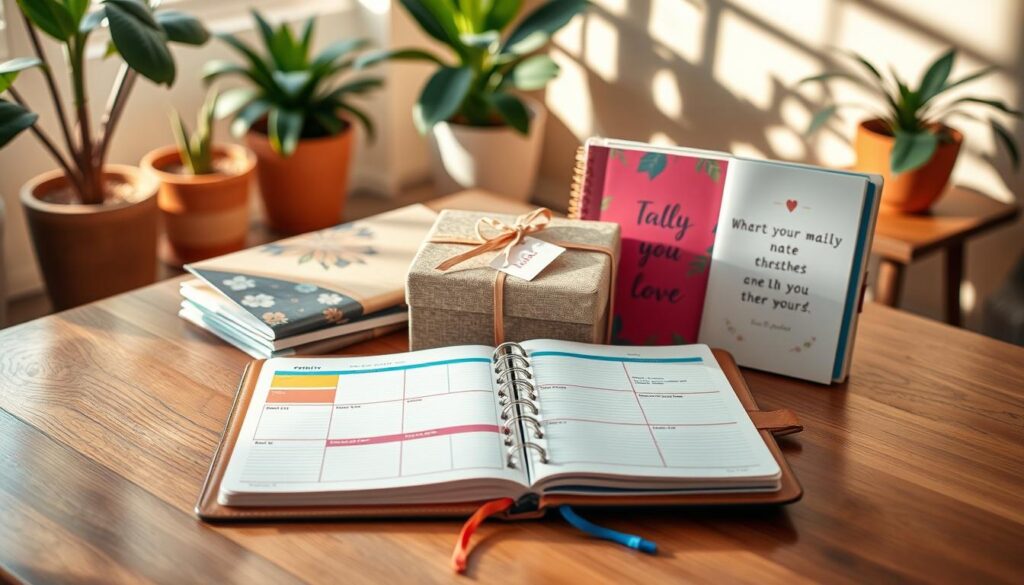
- The New Graduate or First-Time Professional: Starting a new job can be overwhelming. A daily planner helps them stay organized and build confidence.
- The Busy Executive or Department Head: Their days are full of meetings and decisions. A daily planner helps them stay focused and in control.
- The Detail-Oriented Friend or Perfectionist: They love to list and check off tasks. A daily planner gives them space to manage every detail.
Gift a Weekly Planner To:
- The Creative Freelancer or Consultant: They need to see their week’s projects at a glance. A weekly planner helps them balance tasks and keep their creative energy.
- The Project Manager or Team Lead: They need to oversee timelines and team members. A weekly planner helps them plan and avoid delays.
- The Parent Coordinating a Family: Managing school and family activities is a big job. A weekly planner keeps everyone’s schedule in order.
- The Visionary Entrepreneur or Strategist: They focus on growth and goals. A weekly planner helps them stay on track and avoid getting lost in details.
The right planner turns into a thoughtful tool for success. By matching the layout to the person’s needs, you give them a system for success.
Common Pitfalls and Fixes: over-scheduling, scope creep
Many planners find their system isn’t working due to common mistakes. Both weekly and daily layouts have strengths that can lead to frustration if not used right. Knowing these traps helps build a lasting planning habit.
Daily planners offer a detailed view of your day. This can make you want to fill every minute with tasks. But, this leads to a day full of rushing and stress, which can burn you out.
The fix is intentional buffer time. For every 60-90 minutes of work, add 15-20 minutes for breaks. This makes your day more realistic and less prone to burnout.
Weekly planners, on the other hand, can lead to too many tasks. This is called scope creep. By Friday, you might feel overwhelmed by tasks you can’t finish.
The solution is to assign time estimates. Next to each task, write how long it will take. If your daily tasks add up to more than your time, you need to adjust. This helps you stay focused and avoid feeling overwhelmed.
| Common Pitfall | Symptoms & Indicators | Recommended Fix |
|---|---|---|
| Over-Scheduling (Daily Planners) | Feeling rushed, constant task carry-over, no time for breaks, high afternoon fatigue. | Schedule 15-20 minute buffer blocks after every major task or meeting. Protect this time fiercely. |
| Scope Creep (Weekly Planners) | Overstuffed daily columns, frequent task migration, feeling overwhelmed by the visual list. | Add time estimates to every task. Cap total daily estimated work at your realistic capacity. |
| Planning Fatigue | Dreading planner updates, inconsistent use, seeing the planner as a source of guilt. | Simplify your layout. Reduce colors and decorations. Focus on 3-5 core tasks per day only. |
These issues can be tough for people with neurodiverse conditions. ADHD-friendly planners help by being easy to use. They have simple designs and tools to help you stay on track.
Using colors wisely can help. Use one color for urgent tasks, another for personal items, and a third for long-term goals. This makes it easy to see what needs attention without reading everything.
Success with planners comes from making them fit your needs, not the other way around. Start with small changes. Add buffer days or estimate task times. These small steps can make a big difference in how you use your planner.
Setup Checklist + Starter Spreads
Your new planner is a tool for clarity. Start with a solid setup to make it work for you. Follow this checklist to move your existing schedule into a powerful system.
First, move all recurring appointments. Use a simple color code for work, personal, and family tasks. Set up monthly and yearly goal pages. Fill your first week with known commitments.
Next, pick your first spread style. A minimal setup focuses on key appointments and your top three daily tasks. This approach cuts down on clutter and decision fatigue.
A structured setup includes detailed time blocks, habit trackers, and project lists. It gives you a full view of your day and progress.
Your choice depends on your needs. Start simple. You can always add more detail later. The best system is the one you use every day.
Try templates from brands like Passion Planner or bullet journal printables to test these styles. Your planner should fit you, not the other way around. Start these steps today to make your planner a true productivity partner.
